Introduction
Hybrid work has transformed the modern workplace.
Whether you’re outfitting a small meeting room, executive boardroom, classroom, or large conference space, choosing the right conference camera can dramatically improve collaboration, communication, and meeting quality.
Today’s conference cameras offer much more than video. Many include AI-powered framing, beamforming microphones, speaker tracking, noise suppression, and seamless integration with platforms like Microsoft Teams, Zoom, and Google Meet.
This guide explains the most important features to consider before investing in a conference camera system.
What Is a Conference Camera?
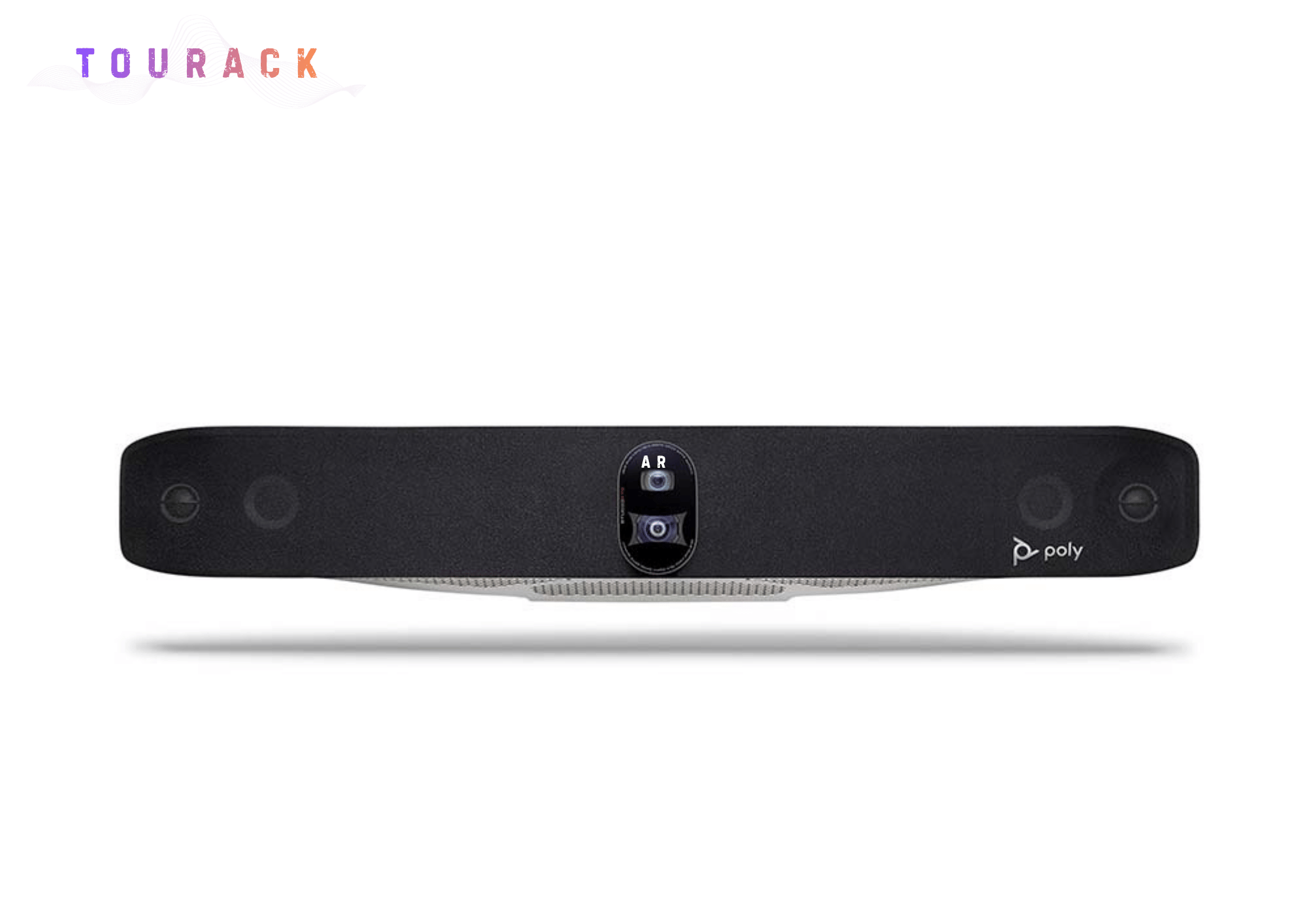
A conference camera is an all-in-one video collaboration device designed for business meetings.
Unlike a standard webcam, conference cameras often combine:
- Ultra HD cameras
- Multiple beamforming microphones
- High-quality speakers
- AI video processing
- Remote management
- Native video conferencing platform support
These systems allow everyone in the room to be seen and heard clearly.
Step 1: Choose Based on Room Size
The most important consideration is the size of your meeting space.
Personal Workspace
Perfect for:
- Home offices
- Remote workers
- Individual professionals
Recommended solution:
A personal webcam paired with a quality USB microphone or headset.
Small Meeting Rooms
Typically:
- 2–6 participants
Ideal solutions include compact all-in-one video bars such as the Logitech MeetUp 2, designed for huddle rooms with a wide field of view and integrated audio.
Medium Conference Rooms
Typically:
- 6–12 participants
For these spaces, solutions like the Logitech Rally Bar provide excellent camera performance, AI framing, and integrated speakers and microphones capable of covering medium-sized meeting rooms.
Large Conference Rooms
Typically:
- 12+ participants
Large spaces often benefit from modular systems such as the Logitech Rally Plus, which combines a PTZ camera with separate speakers and tabletop microphones to provide flexible room coverage.
Step 2: Camera Resolution
Most modern conference cameras offer either:
Full HD (1080p)
Suitable for:
- Small rooms
- Everyday meetings
- Budget-conscious deployments
Ultra HD (4K)
Recommended for:
- Executive conference rooms
- Boardrooms
- Larger meeting spaces
- Professional presentations
4K cameras provide sharper images and allow AI features to crop and frame participants while maintaining excellent image quality.
Step 3: AI Camera Features
Modern conference cameras use artificial intelligence to improve meeting experiences.
Useful features include:
Auto Framing
Automatically adjusts the camera view to include everyone in the meeting.
Speaker Tracking
Focuses on the active speaker during conversations.
Group Framing
Keeps all participants properly positioned within the frame as people enter or leave the room.
RightSight™ Technology
Logitech’s RightSight™ technology uses AI to automatically frame participants and optimize camera positioning for a more natural meeting experience.
Step 4: Audio Matters Just as Much
Poor audio causes more meeting frustration than poor video.
Look for systems offering:
- Beamforming microphones
- Echo cancellation
- Noise suppression
- Full-duplex audio
- Clear speaker output
For larger rooms, consider expandable microphone systems that increase voice pickup coverage.
Step 5: Platform Compatibility
Ensure your conference camera supports your preferred collaboration platform.
Many enterprise solutions are certified for:
- Microsoft Teams
- Zoom
- Google Meet
Certified devices help ensure reliable performance and simplified deployment.
Step 6: USB or Appliance Mode?
Many modern conference systems support multiple deployment options.
USB Mode
Connects directly to a meeting room computer.
Ideal for organizations that prefer using laptops during meetings.
Appliance Mode
Runs conferencing applications directly on the device without requiring an external computer.
This simplifies room operation and reduces setup time.
Several Logitech conference bars support both deployment methods, providing flexibility for different environments.
Step 7: Remote Device Management
For organizations with multiple meeting rooms, centralized device management becomes increasingly important.
Look for features such as:
- Remote firmware updates
- Device health monitoring
- Room utilization analytics
- Fleet management
Solutions like Logitech Sync allow IT teams to monitor and manage supported conference devices from a centralized dashboard.
Recommended Solutions
Home Office
A personal webcam combined with a quality headset or USB microphone provides excellent video conferencing performance for remote professionals.
Small Meeting Rooms
Compact all-in-one video bars like the Logitech MeetUp 2 deliver excellent image quality, integrated audio, and simple installation.
Medium Conference Rooms
The Logitech Rally Bar is designed for medium-sized meeting spaces, combining AI-powered video, premium audio, and flexible deployment options.
Large Conference Rooms
For larger environments requiring expanded microphone coverage and greater flexibility, modular systems such as the Logitech Rally Plus provide scalable solutions suitable for boardrooms, training rooms, and enterprise meeting spaces.
Frequently Asked Questions
Do I need a 4K conference camera?
Not always. For many small meeting rooms, Full HD provides excellent results. However, 4K cameras often deliver superior image quality and enable advanced AI framing features.
Can one conference camera work with Zoom and Microsoft Teams?
Many professional conference cameras are compatible with multiple conferencing platforms. Always verify certifications and supported deployment options before purchasing.
Are built-in microphones good enough?
For small and medium rooms, integrated microphone arrays are often sufficient. Larger spaces may benefit from additional expansion microphones.
What’s the difference between a webcam and a conference camera?
A webcam is designed for one person at a desk, while a conference camera is engineered to capture an entire meeting room with advanced audio, video, and AI collaboration features.
Final Thoughts
Choosing the right conference camera is about more than image quality.
It’s about creating meeting experiences where everyone can see, hear, and collaborate naturally, whether they’re in the room or joining remotely.
By selecting equipment that matches your room size, collaboration platform, and long-term business needs, you’ll build meeting spaces that support productivity for years to come.
At TOURACK, we help businesses, schools, government agencies, and organizations design professional collaboration spaces with solutions from leading manufacturers, including Logitech. Whether you’re upgrading a single huddle room or deploying enterprise-wide meeting technology, our TOURACK Advisors™ can help you select the right conference solution for your environment.
Related Products
- Logitech MeetUp 2
- Logitech Rally Bar
- Logitech Rally Bar Mini
- Logitech Rally Plus
- Logitech Sight
- Logitech Tap IP
- Logitech Tap Scheduler
- Logitech Sync
- Conference Room Bundles
Related Articles
- Microsoft Teams Rooms Buying Guide
- Zoom Rooms Buying Guide
- Huddle Room Design Guide
- Conference Room Audio Buying Guide
- Choosing the Right Conference Microphone