Introduction
If you’re ready to start recording music, producing podcasts, livestreaming, or creating content, one of the first pieces of equipment you’ll need is an audio interface.
While it may not be as exciting as buying a new microphone or studio monitors, an audio interface is the heart of every modern recording setup. It connects your microphones, instruments, and speakers to your computer while delivering the sound quality and reliability that built-in computer audio simply can’t match.
With so many options available, choosing your first audio interface can feel overwhelming. This guide explains the essential features you should understand before making your first purchase.
What Is an Audio Interface?
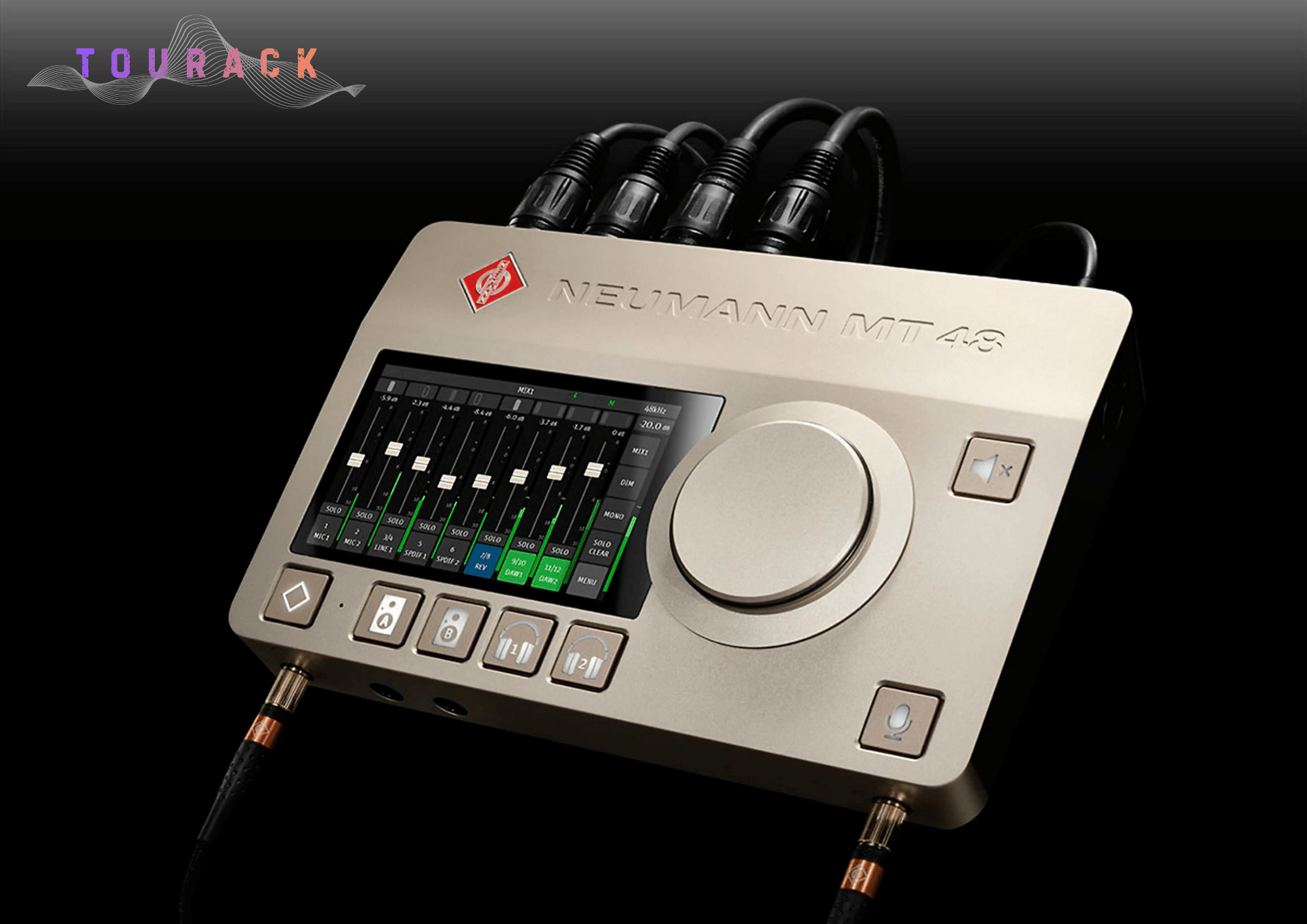
An audio interface is a device that allows your computer to communicate with professional audio equipment.
It converts analog audio from microphones and instruments into digital signals that your computer can record, then converts digital audio back into analog sound for your speakers or headphones.
Think of it as the control center of your recording studio.
Without an audio interface, you’ll be limited by the lower-quality sound hardware built into most computers.
Why Do You Need One?
An audio interface provides several important advantages:
- Better recording quality
- Professional microphone inputs
- Instrument inputs for guitars and basses
- Phantom power for condenser microphones
- Low-latency monitoring
- Balanced outputs for studio monitors
- Reliable performance with recording software
If you plan to record anything beyond casual voice memos, an audio interface is one of the best investments you can make.
Step 1: Decide What You’ll Record
Before comparing specifications, think about how you’ll actually use your interface.
Singer-Songwriters
If you’re recording vocals and guitar one track at a time, a 2-input interface is usually the perfect starting point.
Podcasters & Streamers
One or two microphone inputs are often all you need for solo podcasts, interviews, or livestreams.
Producers
Electronic music producers who primarily use virtual instruments may only need a few physical inputs while benefiting from excellent headphone monitoring and low latency.
Bands
If you plan to record drums or multiple musicians simultaneously, you’ll likely want an interface with 4, 8, or more inputs.
Buying an interface that matches your workflow today—and gives you room to grow tomorrow—is usually a smart investment.
Step 2: Understand Inputs & Outputs
One of the most important specifications is the number of inputs and outputs (I/O).
Inputs
Inputs allow you to connect:
- Microphones
- Guitars
- Basses
- Keyboards
- Synthesizers
- Other audio sources
Outputs
Outputs connect your interface to:
- Studio monitors
- Headphones
- External processors
- Additional recording equipment
Choose an interface with enough connections for both your current setup and future expansion.
Step 3: USB, USB-C, or Thunderbolt?
Most modern audio interfaces connect using one of three standards.
USB
- Most common
- Excellent compatibility
- Great for beginners
USB-C
- Modern connector
- Fast and convenient
- Compatible with many newer computers
Thunderbolt
- Extremely low latency
- Higher bandwidth
- Designed for demanding professional workflows
For most first-time buyers, USB or USB-C provides outstanding performance.
Step 4: Don’t Ignore the Microphone Preamps
Microphone preamps amplify the tiny signal coming from your microphone before it’s recorded.
Quality preamps provide:
- Low background noise
- Plenty of gain
- Clear, natural sound
- Consistent performance
Good preamps make a noticeable difference, especially when recording vocals or acoustic instruments.
Step 5: Make Sure It Has Phantom Power
If you’re planning to use a condenser microphone, your interface must provide 48V phantom power.
Fortunately, nearly all modern recording interfaces include this feature.
Step 6: Consider Software Included
Many interfaces include valuable software such as:
- Recording software (DAWs)
- Virtual instruments
- Plug-ins
- Effects
- Sample libraries
For beginners, these bundles can save hundreds of dollars and help you start recording immediately.
Step 7: Think About Future Growth
Many musicians purchase a small interface only to outgrow it within a year.
Ask yourself:
- Will I record more microphones later?
- Will I add hardware synthesizers?
- Will I record a full drum kit?
- Will I upgrade my studio?
Choosing an interface with a little extra flexibility can save money in the long run.
Common Mistakes First-Time Buyers Make
Buying More Inputs Than Necessary
More isn’t always better.
If you’ll only ever record one or two sources at a time, there’s little benefit to paying for eight microphone preamps.
Focusing Only on Sample Rate
Higher numbers don’t automatically mean better recordings.
Driver stability, converter quality, and microphone preamps often have a much greater impact on real-world performance.
Forgetting About Monitoring
A good headphone output and direct monitoring can dramatically improve your recording experience.
Our Recommendations
Best for Beginners
A compact USB or USB-C audio interface with two microphone preamps is an excellent choice for singer-songwriters, podcasters, streamers, and home studios.
Best for Growing Studios
Choose an interface with four or more inputs if you expect to record multiple performers or expand your setup over time.
Best for Professional Recording
Professional studios benefit from interfaces offering premium converters, expandable I/O, advanced routing, and ultra-low-latency performance.
Frequently Asked Questions
Can I record without an audio interface?
Technically yes, but your recording quality, latency, and microphone compatibility will be significantly limited.
How many inputs do beginners need?
For most people, two inputs provide plenty of flexibility while keeping the system simple and affordable.
Does an audio interface improve sound quality?
Yes. Dedicated audio interfaces typically offer better converters, cleaner microphone preamps, lower noise, and improved monitoring compared to built-in computer audio.
Can I use an audio interface for Zoom, Teams, or livestreaming?
Absolutely. Many content creators and professionals use audio interfaces for video conferencing, livestreaming, podcasting, and online teaching.
Final Thoughts
Your first audio interface is more than just another piece of equipment—it’s the foundation of your recording setup.
Choosing the right one doesn’t mean buying the most expensive model. It means finding an interface that fits your creative goals, works with your existing equipment, and gives you room to grow as your skills develop.
At TOURACK, we’re committed to helping musicians, creators, educators, and audio professionals make informed decisions with confidence. If you’re unsure which audio interface is right for you, our TOURACK Advisors™ are here to help you compare options and find the perfect solution for your studio.
Related Products
- USB Audio Interfaces
- Studio Monitors
- Studio Headphones
- Condenser Microphones
- Dynamic Microphones
- MIDI Keyboards
- Home Studio Bundles
Related Articles
- How to Choose the Right Audio Interface for Your Home Studio
- Dynamic vs. Condenser Microphones: Which One Is Right?
- The Complete Beginner’s Guide to Studio Monitors
- How to Build Your First Home Recording Studio